
TypeWindows utility
Public repositoryWindows Utility
NeathCopy
NeathCopy is a Windows desktop utility built to provide a faster, clearer, and more controlled file copy/move workflow than the standard Windows experience.
StackC#, WPF, .NET Framework, Windows API
DeliveryPublic repository
StatusPublic repository available; current release download URL needed
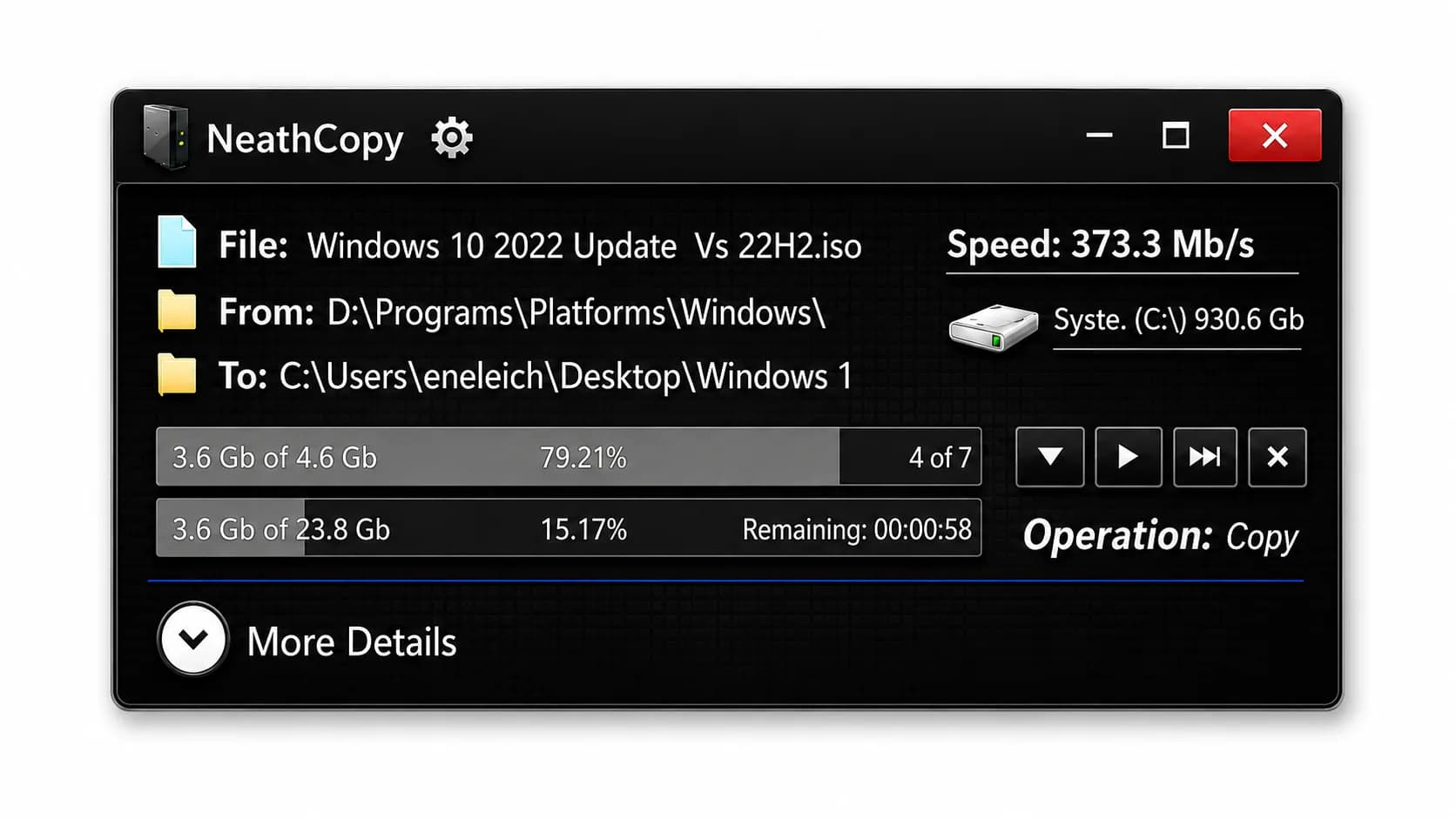
Project Overview
NeathCopy is a WPF-based Windows utility focused on improving how users copy and move files. The project explores file-system performance, desktop usability, operation feedback, and Windows workflow integration. It was designed as a practical tool rather than a simple demo, with attention to speed, usability, and real-world file handling scenarios.
Copy and move workflow for everyday Windows usage.
C#
Clear visual feedback during active file operations.
WPF
Background execution without freezing the interface.
.NET Framework
Support for handling large folder structures.
Windows API
Performance-oriented file enumeration and copy logic.
Threading
Practical utility design beyond a UI prototype.
File I/O
Problem Solved
Standard Windows copy operations can be limited when users need stronger feedback, better control, or improved performance with large folders and many small files. NeathCopy addresses that gap by creating a custom copy workflow with clearer progress information, better operation visibility, and engineering decisions focused on performance and reliability.
System Architecture / Control Flow
Files / Folders
User selects the operation
Operation Prep
Plans the copy or move
Background Engine
Runs file operations
Progress / Complete
Reports status and result
Status / Feedback
Why This Project Was Built
This project was built to test how much control and performance could be achieved by creating a custom Windows copy utility. It also served as a practical way to work deeply with desktop UI, background operations, file-system behavior, and performance optimization on Windows.
What I Built
Custom WPF interface for
Custom WPF interface for copy and move operations.
File copy workflow with
File copy workflow with detailed operation feedback and progress information.
Background processing to keep
Background processing to keep the UI responsive during copy operations.
File-system handling logic designed
File-system handling logic designed for real-world folders and large file sets.
Performance-focused directory traversal improvements
Performance-focused directory traversal improvements using C++ integration where useful.
Windows-oriented workflow design suitable
Windows-oriented workflow design suitable for desktop usage.
Technical Highlights
Outcome / Value
NeathCopy demonstrates practical Windows desktop engineering, file-system work, performance awareness, and UI/UX design for a real utility. It is valuable as a portfolio project because it shows the ability to build useful software that interacts with the operating system and solves a familiar user problem.
Explore the code and build your own
Review the public GitHub repository to inspect the Windows utility structure and project history.